Content editing.
Edit, refine, and adapt content with live previews. Easily publish the same content to multiple platforms.
How it works
Open any content item to edit per destination. The preview updates in real-time to show how text, links, and media will appear on each platform.
- Select destinations and load platform previews
- Edit copy per destination to respect limits and style
- Adjust links, tags, and emojis per audience
- Save versions and compare differences
- Publish or schedule when ready
Setup
- Enable previews for connected destinations
- Define default link policies and UTM rules
- Turn on version history to retain changes
Tips
- Keep core message consistent; adapt formatting only
- Use platform constraints as guardrails, not blockers
- Review previews on mobile sizes for accuracy
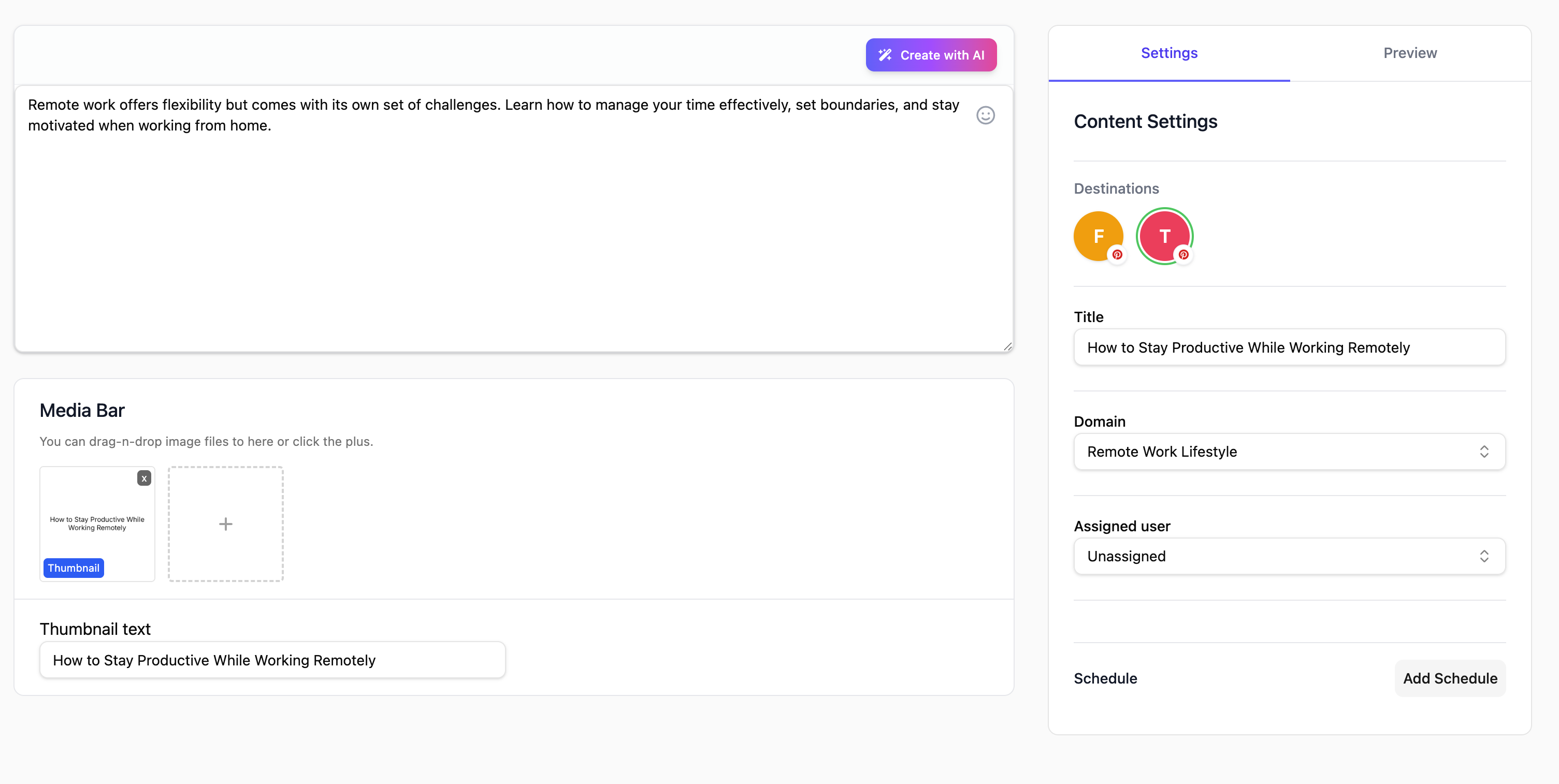
- Per-destination editing
- Live previews
- Version history management
What you’ll get
- Per-channel fine-tuning
- Live previews to reduce rework
- Version history for safe edits
Use cases
- Short/long form adaptation
- Link and CTA variations
- Compliance and localization edits