
Part 01
Quick preview
Hover any item to instantly preview content and catch issues before publish time.
Move faster, reduce publishing mistakes, and keep campaigns on schedule from one view.
See every content sequence in one timeline, move plans fast, and keep channels aligned without scattered tools.
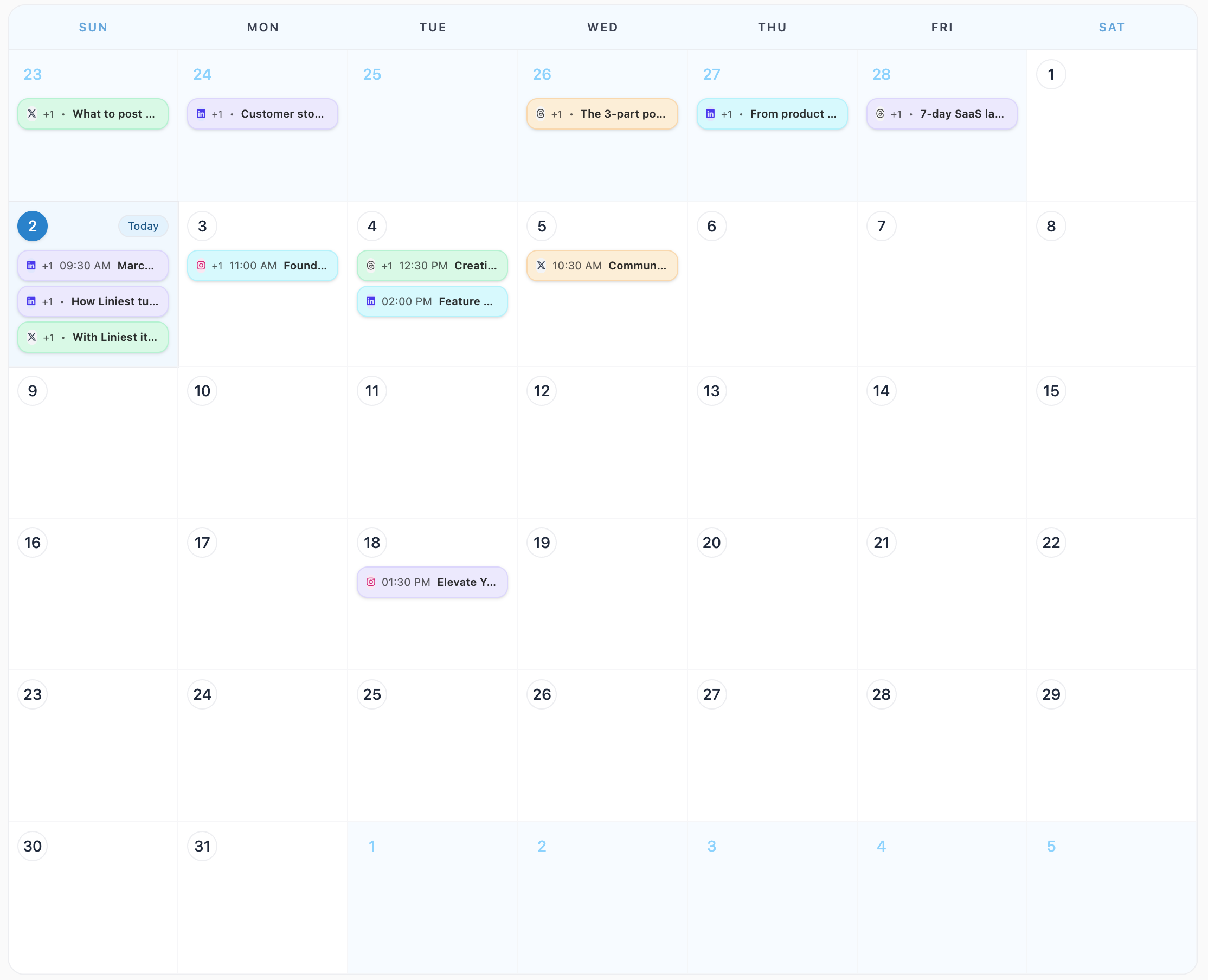
Calendar control
Keep goals, drafts, and scheduled posts connected to one live calendar so everyone sees the real plan and can react instantly when priorities shift.
Part 01
Hover any item to instantly preview content and catch issues before publish time.
Move faster, reduce publishing mistakes, and keep campaigns on schedule from one view.
Part 02
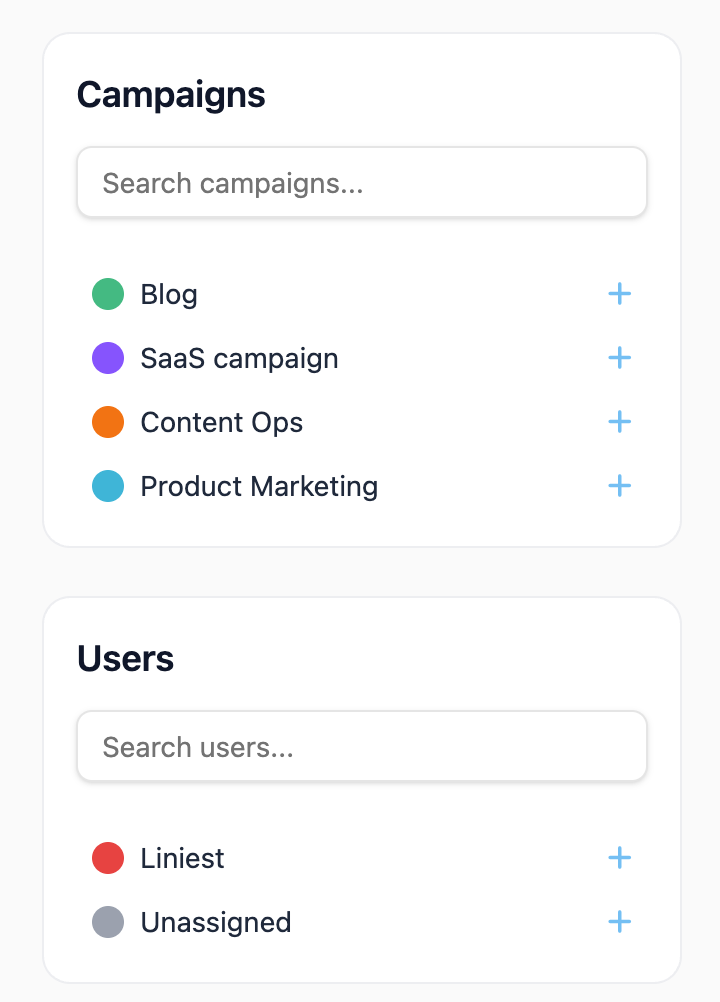
Apply smart filters in seconds to focus on one campaign calendar or just the content you own.
Move faster, reduce publishing mistakes, and keep campaigns on schedule from one view.
Part 03
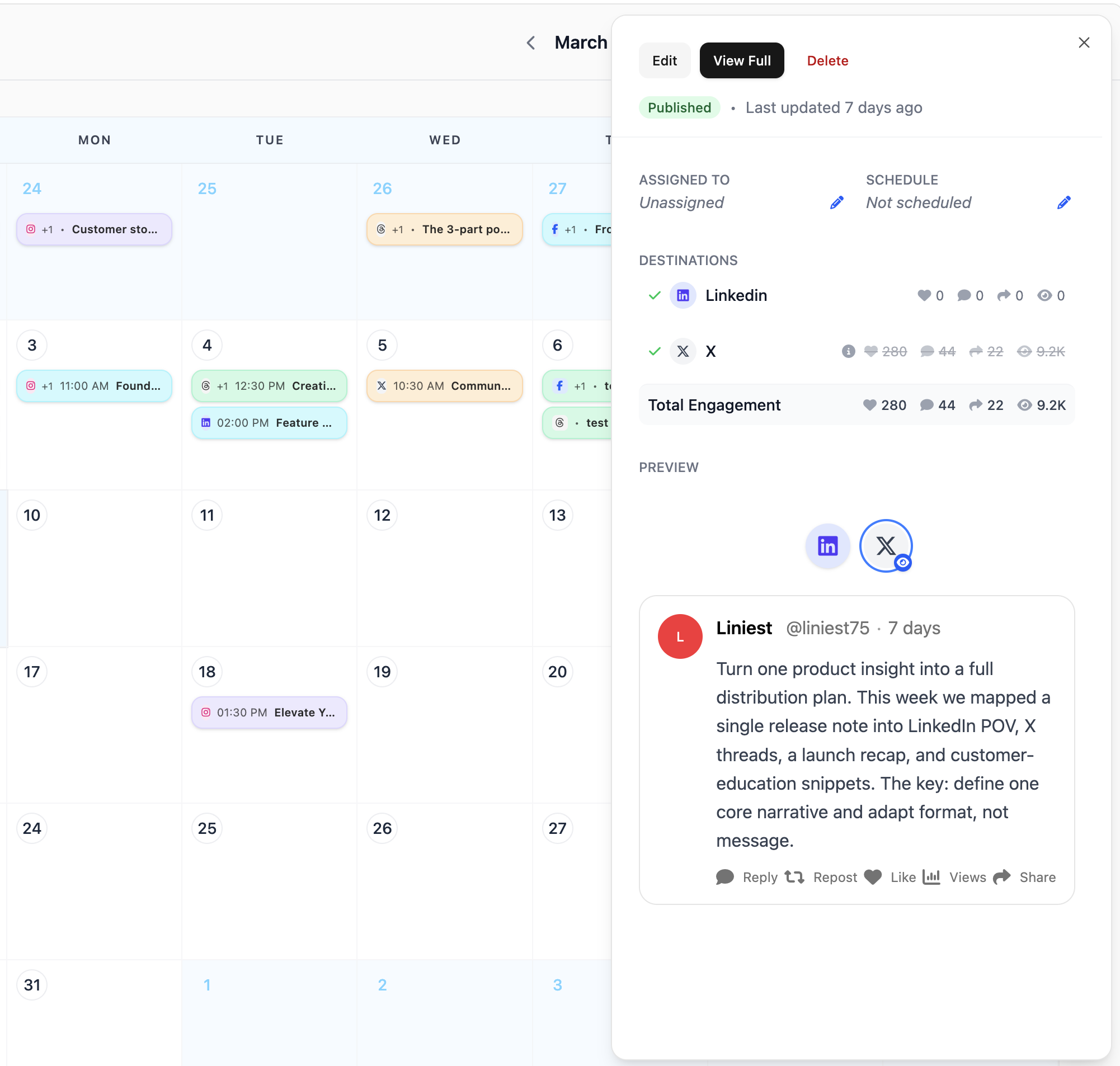
Click any item to open full details and edit immediately without leaving your calendar context.
Move faster, reduce publishing mistakes, and keep campaigns on schedule from one view.
Next step
Create a workspace, add channels, and coordinate every post from planning to publish in one timeline.