Turn rough ideas into a plan
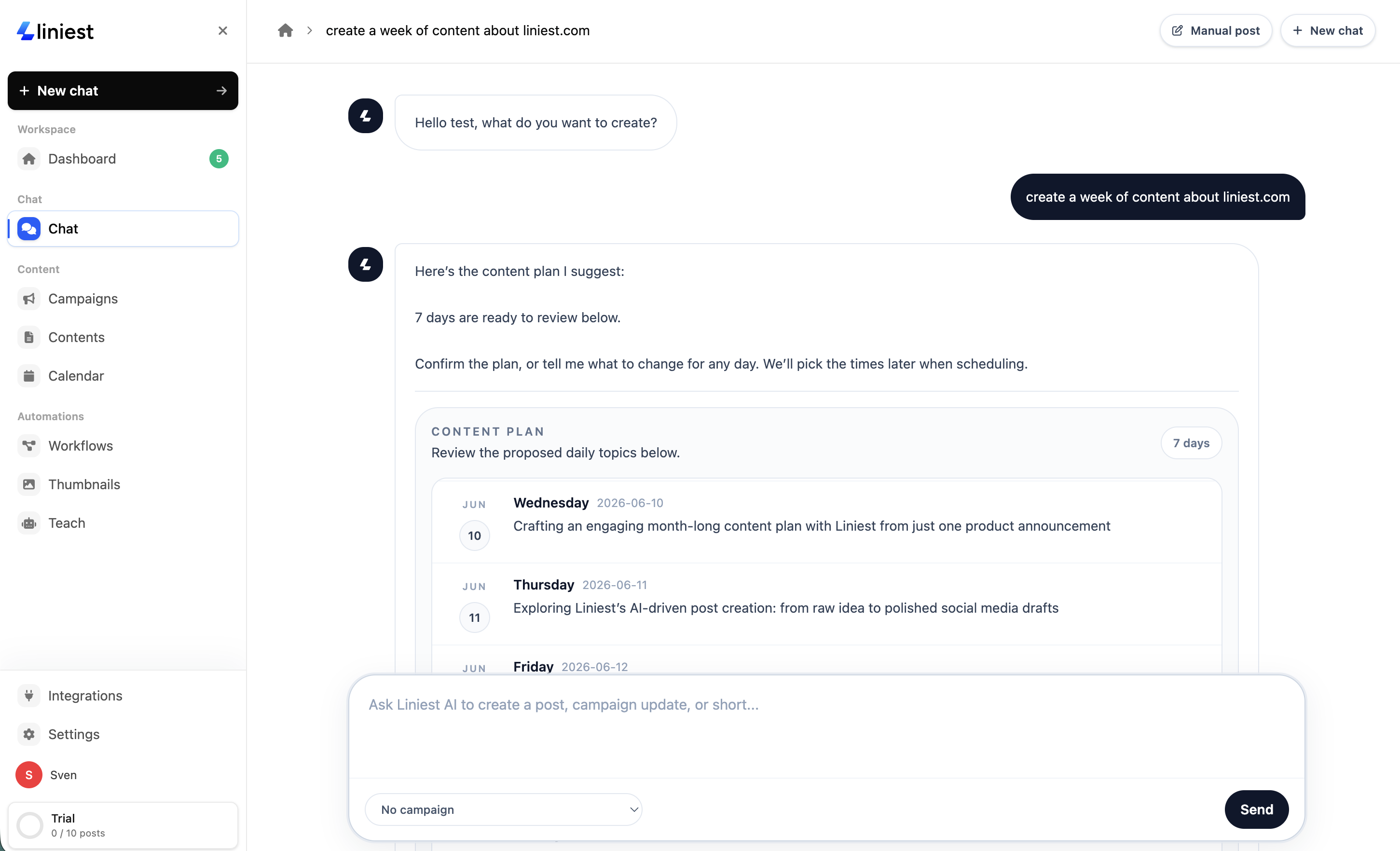
Describe a launch, paste a link, or share a product update. AI chat turns the context into a useful posting plan with days, angles, channels, and next steps.
Talk to Liniest like a teammate. Ask for campaign ideas, channel-specific posts, rewrites, visual concepts, and scheduling help, then move the best drafts straight into your publishing workflow.
What you can do
The chat is not just a caption box. It helps with the thinking before the draft, the edits after the draft, and the handoff into publishing.
Describe a launch, paste a link, or share a product update. AI chat turns the context into a useful posting plan with days, angles, channels, and next steps.
Ask for LinkedIn posts, X threads, Instagram carousel outlines, short video scripts, or captions that fit the destination instead of duplicating one generic post everywhere.
Tell the chat what feels off. Make it shorter, warmer, punchier, more technical, more founder-led, or more specific to your audience without starting over.
Once the plan looks right, send drafts into your publishing flow so your content can be reviewed, scheduled, and published from the same workspace.
Prompt examples
Start broad when you need direction, or get specific when you already know the outcome you want.
Start with a plain-language request, a URL, a launch note, or a half-formed idea.
Refine the result with follow-up prompts until the angle, voice, length, and format are right.
Review the final drafts, attach media ideas, and send approved content into your calendar.
The conversation stays connected to your campaign, drafts, and calendar. That makes it easier to revise the same idea over time instead of rebuilding context in a separate AI tool.
Next step
Start with a launch, update, or rough idea. Liniest will help you shape it into posts you can edit, approve, and schedule.