Feature 01
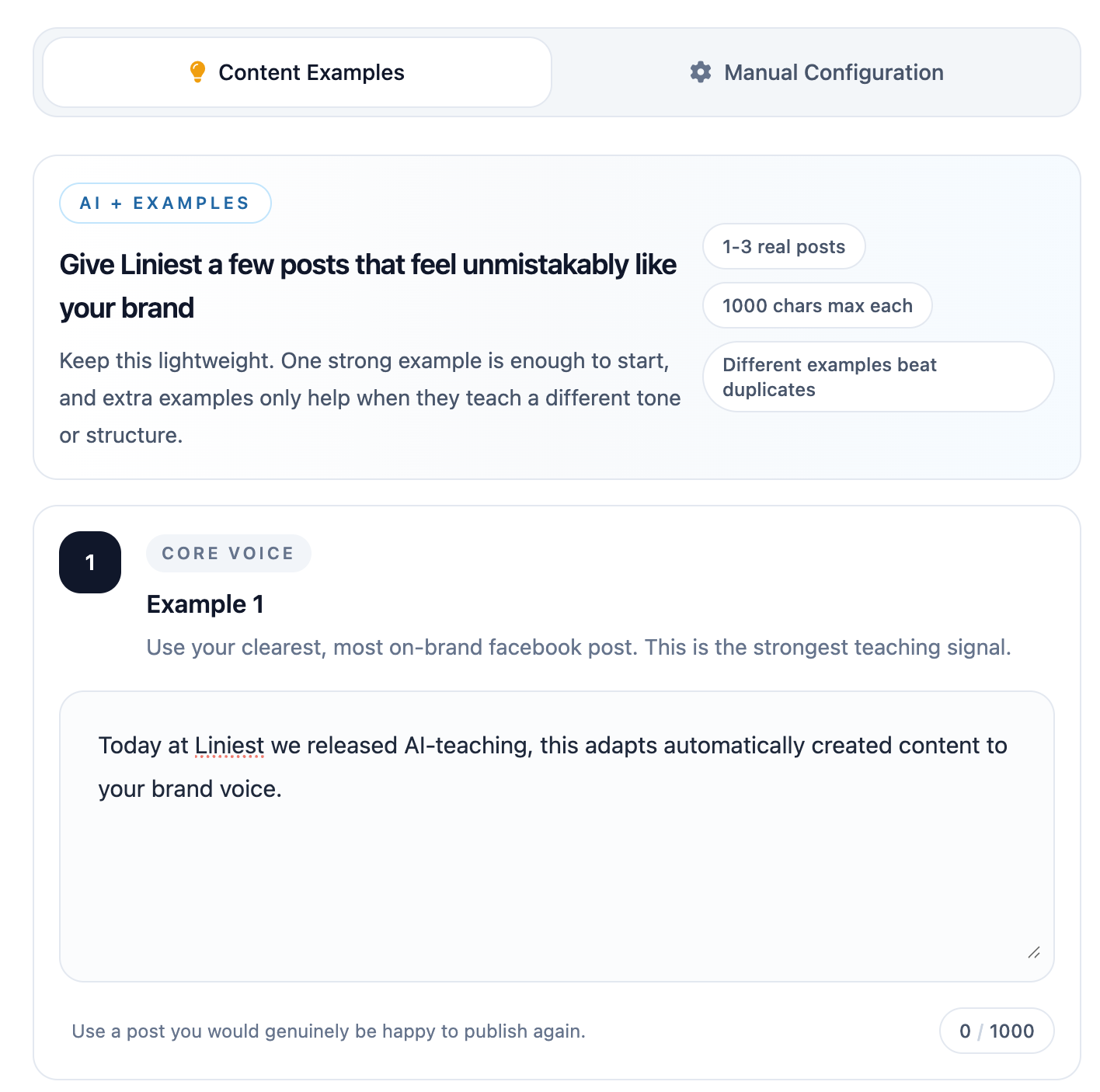
Content examples
Teach the AI by showing real posts that match your style, pacing, and channel format.
- Great for teaching tone and phrasing quickly
- Learns from real published outputs
- Best when you already have strong reference posts
Start with a shared baseline, then combine content examples, manual configuration, and learning from your best-performing posts for consistent, publish-ready drafts.
Feature 01
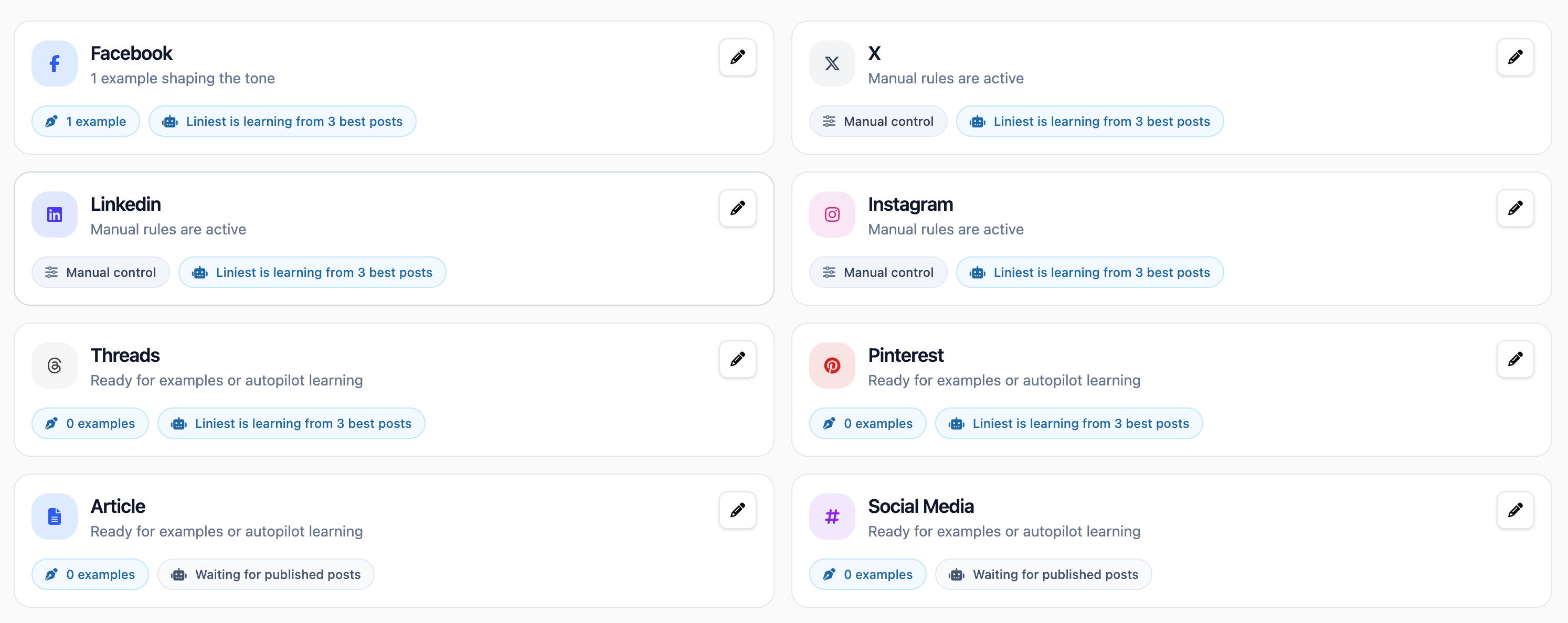
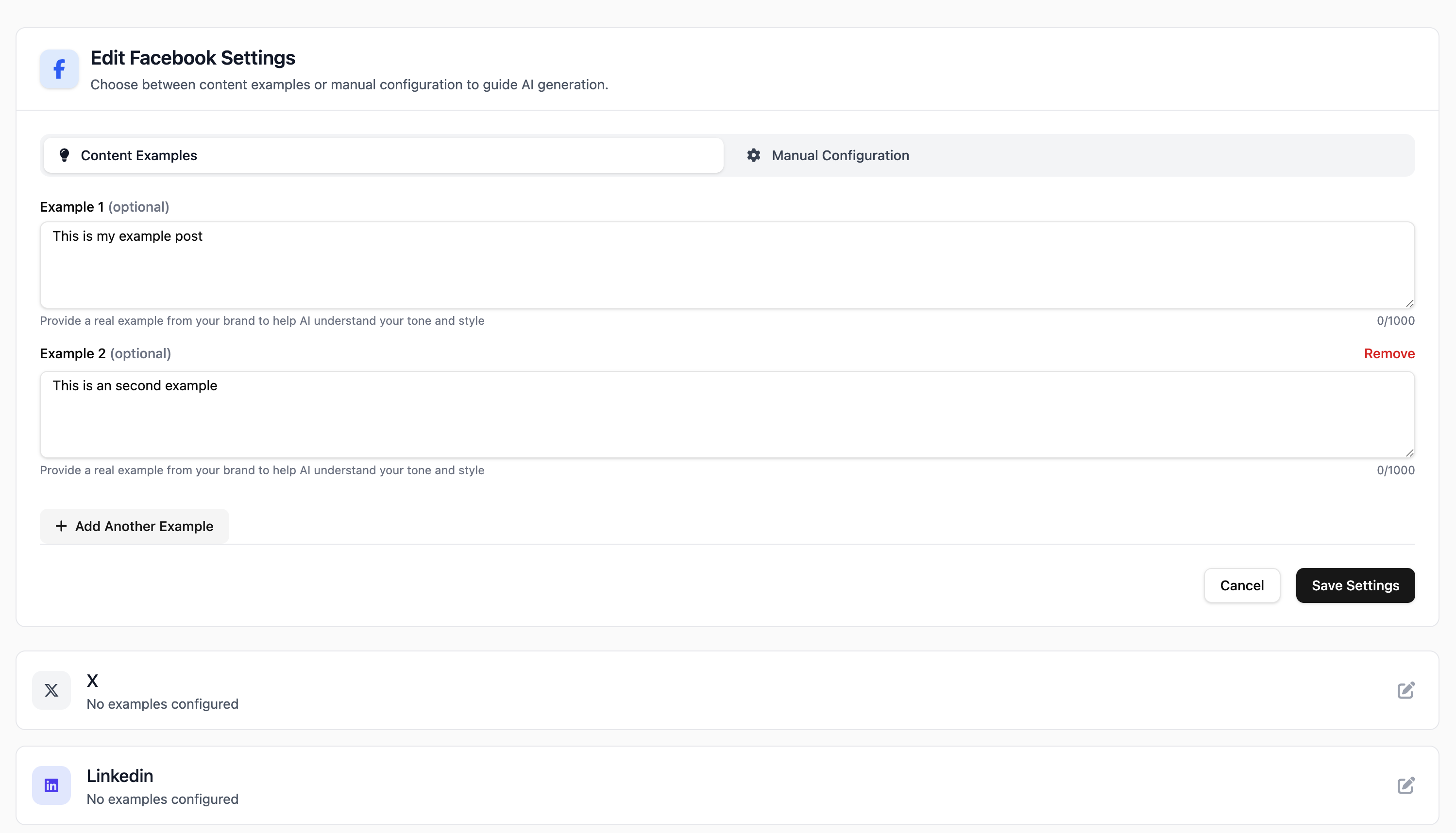
Teach the AI by showing real posts that match your style, pacing, and channel format.
Feature 02
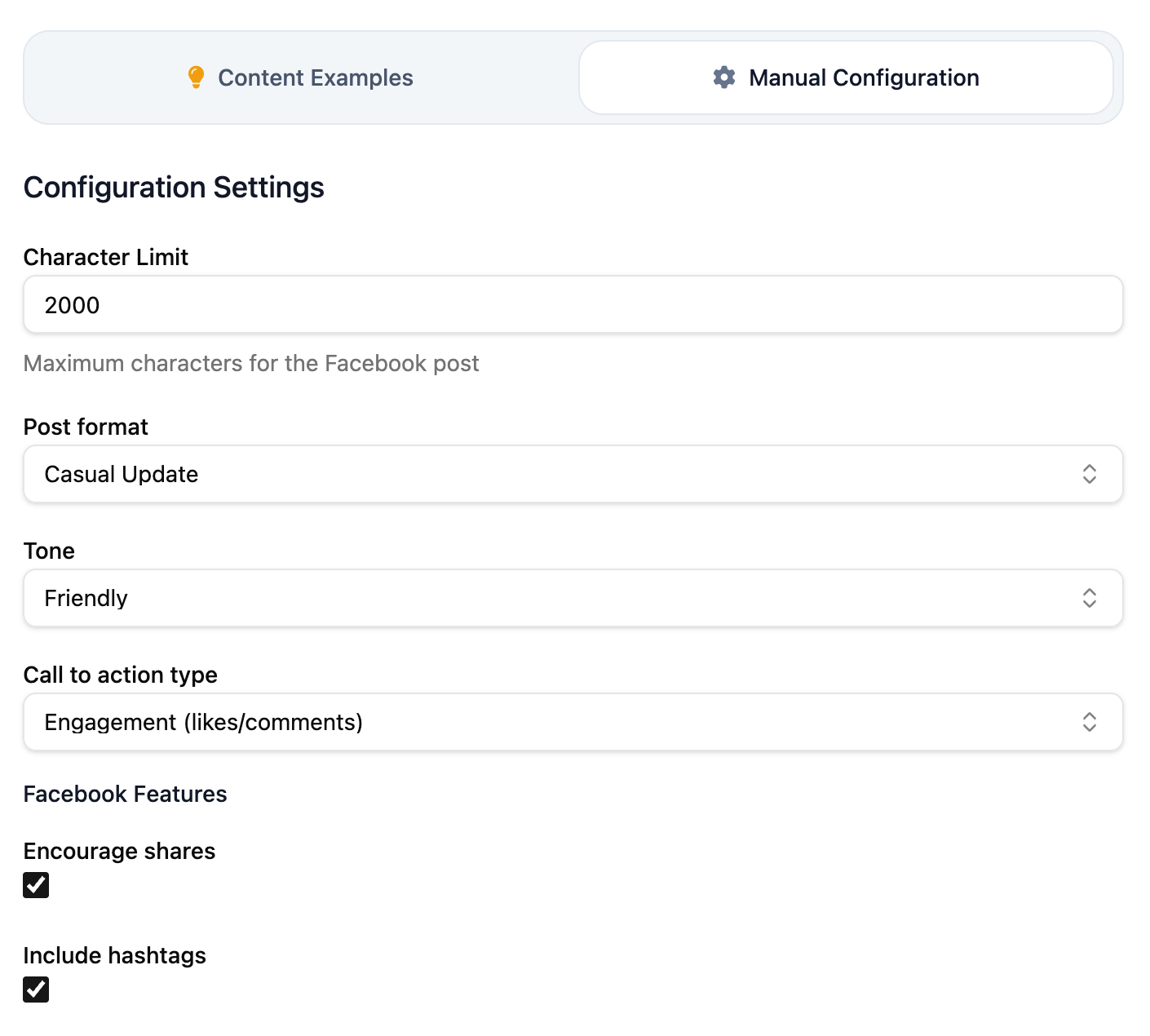
Define rules directly with explicit brand instructions, do-not-use terms, and output constraints.
Feature 03
Liniest studies your best-performing posts and carries those winning patterns into future drafts automatically.
How they differ
Rule-first control. You define exact instructions, banned terms, structure expectations, and guardrails.
Use this when legal, brand, or compliance constraints must always be enforced.
Pattern-first guidance. You teach by example so AI mirrors tone, rhythm, and message style from real outputs.
Use this when you want fast quality improvements and a more natural brand voice match.
Next step
Start with manual rules, add example posts, and let AI learn from top-performing posts to keep every new draft sharper.